> ## Documentation Index
> Fetch the complete documentation index at: https://docs.seer.pm/llms.txt
> Use this file to discover all available pages before exploring further.
# Deposit xDAI
For reference, visit [xDAI official document](https://docs.gnosischain.com/about/tokens/xdai).
## Convert DAI from Ethereum to xDAI
### 1. Buy DAI
DAI is a widely known stablecoin on the Ethereum blockchain.
Dai can be purchased on many popular exchanges, which many are listed on [https://coinmarketcap.com/currencies/multi-collateral-dai/markets/](https://coinmarketcap.com/currencies/multi-collateral-dai/markets/). It is also available on many decentralized exchanges like [Oasis](https://oasis.app/trade/), [KyberSwap](https://kyberswap.com/), and [Uniswap](https://uniswap.exchange/).
After purchasing and sending DAI to your wallet, you can use [Gnosis Bridge](https://bridge.gnosischain.com/) to convert from DAI to xDAI.
### 2. Convert DAI to xDAI
First, go to [Gnosis Bridge](https://bridge.gnosischain.com/) and connect your wallet to the Ethereum Mainnet.
 Select DAI as the origin token. Make sure that the **Transfer from** section is set to Ethereum. If not, you can click on the swap icon in the center.
Once you've selected DAI, the UI will automatically select the destination token (xDAI) for you.
Select DAI as the origin token. Make sure that the **Transfer from** section is set to Ethereum. If not, you can click on the swap icon in the center.
Once you've selected DAI, the UI will automatically select the destination token (xDAI) for you.
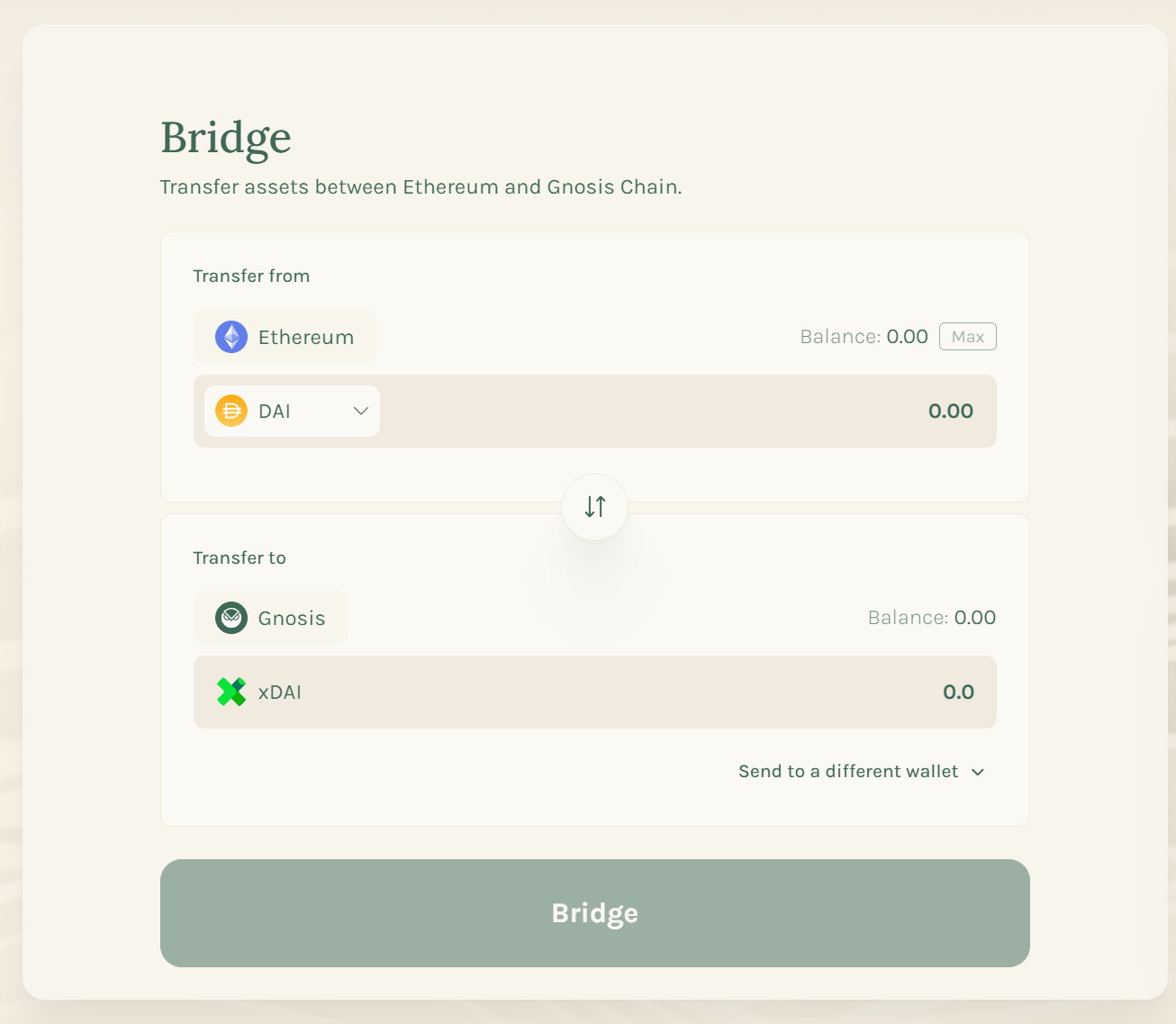 Input the desired amount and click **Bridge**.
You can check the transaction details with the [bridge explorer](https://bridge.gnosischain.com/bridge-explorer).
Input the desired amount and click **Bridge**.
You can check the transaction details with the [bridge explorer](https://bridge.gnosischain.com/bridge-explorer).
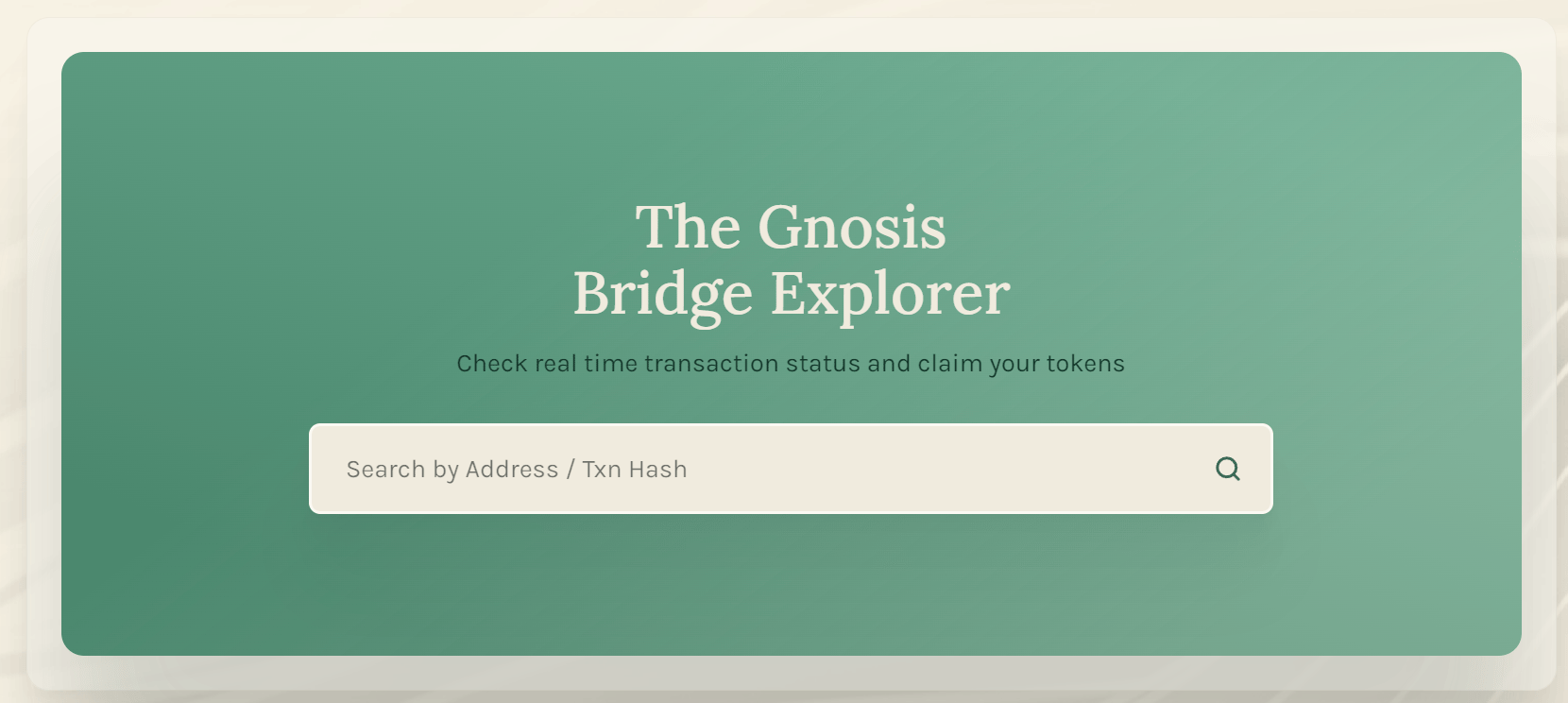 Once you've entered a transaction hash or your wallet address, a list of transactions will appear.
## Buy xDAI[](https://docs.gnosischain.com/about/tokens/xdai#buy-xdai)
Gateways and Exchanges allow users to get xDai using FIAT or swap other crypto into xDai.
* [AscendEX](https://ascendex.com/en/basic/cashtrade-spottrading/usdt/xdai)
* [Mt Pelerin](https://www.mtpelerin.com/buy-xdai)
* [Ramp](https://ramp.network/buy/?swapAsset=XDAI)
* [Honeyswap](https://honeyswap.1hive.eth.limo/)
## Faucets[](https://docs.gnosischain.com/about/tokens/xdai#faucets)
Gnosis offers [free mainnet faucets](https://docs.gnosischain.com/tools/faucets/).
This documentation is built and hosted on [Mintlify](https://mintlify.com), a developer documentation platform.
Once you've entered a transaction hash or your wallet address, a list of transactions will appear.
## Buy xDAI[](https://docs.gnosischain.com/about/tokens/xdai#buy-xdai)
Gateways and Exchanges allow users to get xDai using FIAT or swap other crypto into xDai.
* [AscendEX](https://ascendex.com/en/basic/cashtrade-spottrading/usdt/xdai)
* [Mt Pelerin](https://www.mtpelerin.com/buy-xdai)
* [Ramp](https://ramp.network/buy/?swapAsset=XDAI)
* [Honeyswap](https://honeyswap.1hive.eth.limo/)
## Faucets[](https://docs.gnosischain.com/about/tokens/xdai#faucets)
Gnosis offers [free mainnet faucets](https://docs.gnosischain.com/tools/faucets/).
This documentation is built and hosted on [Mintlify](https://mintlify.com), a developer documentation platform.